Transcript Synced · select any line to jump ▾ 0:02 Georgie Healy: Founders scale faster on Deel. Set up payroll for any country in minutes, hire anyone anywhere, get visas handled fast, and get back to building. Visit deel.com/dayone. That's d-e-e-l.com/dayone. 0:23 Gareth Rydon: Don't stress that you're not a prompt engineer and you need to have, you need to save all of these like long lists of the top 10 best prompts. And a funny story is I've lost count of the number of people that I meet and they say, yeah, I've, um, if I showed you my desktop, I've got these 10 tabs open that have the top best prompts for XYZ. Like, how long have you had those open for? And like, oh, like 6 months. I haven't read it, but I don't want to close it because I don't want to lose it. I'm like, okay, so let's take a step back. And what I get them to do is, why don't you ask the model for it to prompt itself. 0:59 Georgie Healy: Hello and welcome to In the Blink of AI, where I talk to the brightest AI startups and innovators each week. I'm Georgie Healy, and this week I'm speaking to Gareth Ryden. He's the co-founder of Australia's generative AI studio, Fryei. Gareth is a leader in generative AI, this space in general. He wears many hats. But one of those is supporting SMBs with strategic AI implementation. Now, based on feedback from you guys, from the listeners, we're really excited to have Gareth join us to discuss AI tools that anyone listening can try, and they'll make your lives easier and more productive, and they're just kind of fun to play with. You can follow In the Blink of AI Pod, one word, on Instagram. Where you can see some visual examples of the AI products in action. Huge thank you to Gareth for being on the show. We can't wait to hear about your experience trying these new tools. Hey Gareth, thank you for joining In the Blink of AI. This is a really special episode. It's the first time we are focusing on the listeners and them being able to try some AI tools. For the first time we're doing this. This brings me to you, my amazing guest, Gareth. Tell me, where do you work? What's your day job? 2:26 Gareth Rydon: An amazing guest. Thank you very much. What a great way to get me excited to have a conversation, Georgie. So I'm one of the 3 co-founders of FriAye. So we're an Australian generative AI studio. 2:41 Georgie Healy: Big fans of the show will remember one of your co-founders, Charmaine, was on the show. She was incredible. And if anyone wants a deep dive on FriAye and the business, definitely go listen to that episode. But I specifically wanted to bring you in on the show, Gareth, because you are so perfect for this episode where we try a few AI tools and kind of have a bit of a deep dive on why they're gonna help listeners in their day-to-day productivity and lives. You post daily shorts on LinkedIn as well with some AI tools and tricks, so I've been following you for some time. Do you have a particularly well-received short or one that comes to mind? 3:22 Gareth Rydon: Yes. Well, there's a couple, but the one that jumps up, and the way that I post daily is I'm not a techie, so I'm an ex-service designer. So my posting is all about my sort of exploration and the stuff that we do at Friyay and how I use it personally. The one that got really well received, I don't know if you've tried a tool called Pika, P-I-K-A. 3:44 Georgie Healy: P-I-K-A, no. 3:46 Gareth Rydon: It's so much fun. It's the one where you upload a photo and then you add video effects. So we got our photos done, we're all fancy at FriA, new profile photos, and I loaded my new profile on LinkedIn, but I made a Pika video where it gave my photo, and what happens is these hands come in and it smushes my face like Play-Doh, and people went nuts for it because they're like, oh, you know, standard new LinkedIn photo, then all of a sudden my face gets squished like Play-Doh. So that one. 4:15 Georgie Healy: Keeping it real on LinkedIn. Like everyone's always postulating and showing off, and I'm definitely guilty of this. Add a bit of humor. I love that. I love it. I'm gonna try this after the, after the episode goes live. And why, why are you so passionate about this? Like your day job is helping people learn about AI tools. Use AI tools, leverage them to help their businesses. Why is it so important, do you think? 4:44 Gareth Rydon: It's why I'm so passionate is, and Charmaine and Ben, my two co-founders, share this passion, is that when we first started playing around with ChatGPT, we all had that oh my gosh moment. And I'm so passionate about it 'cause for us, that oh my gosh moment was this can transform how we work and really liberate our time and the ease at which it was to get started and start playing. And I really want other people to experience that. And we have this like central thesis at Frye.ai is that generative AI is easier than you think but more powerful than you can imagine. And that really drives us and that really drives me around. If I can help one or two people a day where they just start doing one thing like A week or two ago, I'm working with— my kids do nippers, and I'm helping their surf club, you know, embed AI across the whole organization. So how they run their nippers program to how they get sponsorships, even how they run the barbecue, the free sausage sizzle they put on for nippers on a Sunday. But the passion comes from, you know, showing them, oh, when you get home tonight, take a photo of the inside of your fridge with ChatGPT and ask for a dinner recipe. 5:56 Georgie Healy: Wow. 5:56 Gareth Rydon: And then the next day you get these calls like, This was so great, we made this, and, and I just listen, and that really makes me feel good. Like, people see the value it can make for them. 6:08 Georgie Healy: I love that example. I actually haven't tried that. My fridge might be even more complex than the AI can come up with, with what the sparse offering that's in there currently. We're not even in the episode yet, but I've got another one I'd love to share too, if that's okay. 6:23 Gareth Rydon: Yeah, of course. 6:24 Georgie Healy: My eldest started school this year, and Frankly, a lot of us parents are quite overwhelmed by the school calendar. And we got an entire page full of events for the year just listed. And it was, you know, my heart rate elevated to about 190. And what I did is I copy-pasted that into Gemini and said, "Can you put these into my Gmail calendar?" And I think the message of this show is if it doesn't work the first time, please don't give up. Like you said, it's easier and more powerful than you think, but also don't give up if it doesn't work the first time. I tried to use the PDF document first up, that didn't work, but copy-pasting the text, it all populated into my calendar, every event for the year. I was so excited, Gareth. Have you tried that yourself? 7:20 Gareth Rydon: Have you ever done that? That one I'm doing, I'm going to do that this afternoon. That is going to transform my wife's afternoon. 7:27 Georgie Healy: Totally. Okay, I think we're so ready to jump into the episode because, yeah, little things like this, you don't have to be an AI expert. You mentioned that you're not, you know, a CTO. I'm definitely not a CTO, but these things can really make a huge difference and you don't need to be a software engineer to make the most of it. Would you agree? 7:48 Gareth Rydon: Oh, 100%. And I think from my own personal experience, code for me makes me think I'm watching The Matrix. That's about my level of understanding of code. I'm like, when's Neo going to jump out and, you know, attack Agent Smith? But that ability to make things, understand how these things work in natural language. So I always think when people say to me, oh, you know, what do I need to be really good at? Or what's so important for me to be successful in this new context? And I said, well, can you ask really good questions? Can you think about ideas and things you want to do? Yeah. And then can you communicate clearly? Those for me are 3 of the most foundational skills. If you can have that, if you can ask a really good question, you can start interacting with an AI tool. 8:33 Georgie Healy: I love this. So everyone listening, that's the message for today. Just ask questions, treat it as a friend. It's gonna be fun if you just go with that open mindset. Okay, so, I'm excited to dive in. And I've got a bunny that keeps eating my power cord. So this could be a short call, but we'll try it. We'll try and power through and I'll just keep nudging her away. So let's dive in. I'm really excited because I only started using this tool this week. I know. And I already— I'm already pumped. What have you got for us, Gareth? What's our first tool that we're going to try today? 9:12 Gareth Rydon: So the first tool to talk about today is Otter.ai, and I'll be really clear, I don't get anything from, like, I'm not paid, I'm not employed by Otter, but I just love— 9:27 Georgie Healy: I can confirm not getting a paycheck from Otter. Not sponsored, but if you want to— 9:33 Gareth Rydon: Yeah, Otter, if you're listening, I can put this on my, you know, this free advertising right here. But it's an AI meeting transcription tool similar to, people may have heard of Otter, but they also may have heard of something, things like Fireflies, CircleBack, Spinach. But that's the tool that I really love to dive into today and just share our experiences and how easy it is to liberate so much time from your day-to-day activities. 10:04 Georgie Healy: Amazing, I am so excited. So Otter, cute little furry animal, they hold hands in the ocean so that they don't lose their friend. But in the AI world, what is it? 10:15 Gareth Rydon: It's classified as an AI transcriptional meeting assistant. But in its most basic functionality, Otter can take good notes from your meeting. So good, really good transcript. So if you're there scrolling away in your notebook, getting really tired arm or tapping away feverishly on your keyboard, and everyone can hear you typing, it's really augmenting you by taking really good notes. But the thing that is truly amazing, what we found in terms of what Otter does is that if you think of it as more than a meeting note-taker, if you think of it as a really effective assistant that helps you have more effective meetings. So the basic functionality, if you sign up for something like Otter or Fireflies or CircleBack, in your onboarding steps of when you sign up to it, it'll sync with your calendars. And then you can choose for Otter to turn up to your meetings. And I think that's a really important point for people to note is that when you first sign up with these tools, the first thing I encourage people to do is go into the settings and actually switch off default join every meeting while you're getting used to it. 11:25 Georgie Healy: I wish I listened to this before downloading. Yes, I've been getting a lot of spam from Otter lately. 11:30 Gareth Rydon: Yes. But you imagine, say, if we're having a conversation over Google Meet, It'll be Gareth Georgie, and then it would have Gareth Otter AI, or Gareth's note-taking assistant, sitting there in the meeting. And it's taking really good transcription and really good notes. And then at the end, which is quite good, is it'll give you a summary. So it'll say, here's your summary. Here's some actions that it's identified from the meeting, and it's allocated— it'll often allocate me to those actions. It might give you some insights. So that's kind of like doing what you've always done slightly better. 12:03 Georgie Healy: Yeah. 12:03 Gareth Rydon: Like taking notes for you. But in where you can really take these types of tools is that, and it's similar for Firefly, Spinach, and CircleBack, is they also have an inbuilt AI that sits on top of your transcription. So I know that sounds weird, like an AI sitting on top of words. Well, what I mean by that is that after a meeting, you can talk to and interact with Otter about what the transcription had in it. So a case in point, what we do almost every day is we'll have Otter joining key meetings. Straight after, I'll start chatting to Otter. So I'll say @Otter. 12:41 Georgie Healy: You're typing this in, Gareth, into the interface? 12:43 Gareth Rydon: Yes, I'm typing this into the chat. I'll ask it to take actions based on the meeting. So if you think about what's the stuff you usually have to do after a meeting, so probably gonna have to send an email out thanking people for the meeting. You might have to send some follow-up notes. You're probably going to have to plan the next meeting. If you're in a secretariat role or on a board, you're probably going to take minutes. All of those tasks your Otter Assistant can do, not in like a week, which usually takes me when I'm back and forth trying to do stuff— 13:16 Georgie Healy: Oh yeah. 13:16 Gareth Rydon: Within a handful of minutes. 13:18 Georgie Healy: I'm thinking of my day— days where there's lots of meetings, right? And I'm so busy with a million different Post-it notes. What meeting was that one from? Oh gosh, was that an action I needed to take away or did Tina say she would do that? All of that stuff, as well as the fact that you made a really good point about, you know, you can have someone jotting down the meeting minutes. Whenever I'm the one doing meeting minutes, I'm not really paying attention, being involved in the conversation. I'm so busy just focusing on making sure I don't miss typing what's being said. So that's incredible. I do want to ask you though, you know, you mentioned a few of the other tools out there. There's Fireflies, CircleBack, Otter. What— you, you talked about actions from the meeting being addressed. Not all the tools do that, is that correct? 14:12 Gareth Rydon: I think the best thing to look for in these tools is So first of all, do they all have a free trial? And Charmaine and Ben will be rolling their eyes 'cause I'm the cheap one. I'm like, if it's free, we'll try it. If they all offer a free trial, I'd try it. Some of them, and I know Fireflies has this and Otter has this, has that inbuilt AI feature. So that's the thing we wanna look for. If you're looking for an AI meeting assistant or AI note-taker, see if they have an inbuilt AI in the tool. Because that's where you're going to get tremendous value, is you're working with the assistant to take action. 14:48 Georgie Healy: What's the most popular question you ask it when you type into that chatbot? 14:54 Gareth Rydon: There's two actually. 14:56 Georgie Healy: Yeah. 14:57 Gareth Rydon: Because I sometimes chat with it mid-meeting, like I type mid-meeting. So my mid-meeting one, sometimes I might say to Otter, "Hey, Otter, I just tuned out for the last 5 minutes." Give me a 5-point summary of what was just discussed so I'm not falling behind. And it'll go through the transcript for the last 5 minutes, give me the points so I'm tuned back in. And then often, say for more formal meetings, you know, I'm being an ex-service designer, I really want to create a great experience for our clients and the people we interact with. I ask Otter to write me specific thank you emails for all the meeting attendees based on what they said in the meeting. So instead of a generic, "Hi all, thanks for coming to the meeting. Here's what we discussed broadly," I'd say, "Hi Otter, can you write me a specific thank you email for Georgie and call out the actions that are applicable to her?" It'll draft it, I'll review it, might add in a few things, send that off. Then I'll ask it to write a thank you email and the actions for the next person in the meeting and all the way through. So each person in the meeting, rather than them having to wade through a big list and say, what's relevant to me? I'm helping them get a personalized specific summary and action points that they need to, to act on. 16:12 Georgie Healy: That is so powerful. Um, and also, like, I like getting a thank you email as well. So you're kind of packaging it beautifully, but that's such additional work, especially when you've got multiple meetings in a day or in a week. Which brings me to, who is the best person to spend out of pocket for a service like this? Um, I'm on a free trial at the moment, but how many meetings would I need to be doing a week to really justify paying for this, do you think? 16:40 Gareth Rydon: Well, the pattern that we've seen is, say, if you take on average, say, a 1-hour meeting, a 1-hour meeting usually has anywhere between 15 and 20 minutes of follow-up stuff that you'll have to do. And that's on a good day. But I don't mean like 15 minutes, 20 minutes straight away. It's like over the next 3 days, there's about 15 to 20 minutes. The right use of a tool like Otter, if you have a 1-hour meeting, that 15 to 20 minutes can be done, that work can be done in about 1 or 2 minutes. 17:11 Georgie Healy: Wow. 17:11 Gareth Rydon: So my view is that anyone who has more than 1 hour of meetings a week is saving 10 to 20 minutes per week. Per week. So if you add that up over a year, you know, almost that's more than an hour, you know, an hour a month just for one hour meeting. So then you've got 12 hours back in your time over the year, even if you're just meeting for one hour. So that's where people like, oh, you know, I need to be a heavy, heavy, heavy meeting user, so I should— to justify it. Well, if you do the maths that way, it's more than justifying its sort of cost and with the value it's giving you back, just if you're meeting for one hour a week. 17:47 Georgie Healy: And now to play the, you know, devil's advocate position. Big misconception or big pushback on AI transcript tools is accuracy. You know, what if I've got a thick accent or there's background noise being picked up? I'm at work and there's a conversation going on behind me. I haven't used the tool as much as you have. Is that a genuine issue or concern that you've had with Otter or any of the tools? 18:14 Gareth Rydon: So I've tested all of them, and when we've used them for customer research, so we do a fair amount of customer research, sort of ethnographic interviews, we would spend a bit of time going through the transcript. And it's not, none of them are 100% accurate, none of them. But in terms of the value we get and the importance of reviewing and going through the detail, we need to go through the detail, we might notice things that, well, that wasn't quite the word that I used. This was this person talking. My traditional meeting, if there's a couple people in the meeting, we're all taking notes. Or say, traditionally, when we're doing customer research, you'd have the moderator in the conversation, the note-taker. We would debrief after and we would go through the notes and there'd be things that we missed or things that weren't quite captured. So I think this is a really important thing to note, is that people are saying, well, It needs to be perfect and capture the transcription perfectly. And I'm saying, well, in what context have we taken notes perfectly? So that expectation of if you had a human assistant in the meeting taking notes, would you expect them to take the notes verbatim perfectly? Probably not. So what would you do? You would actually go through that and back and forth to correct them. So we try and say, if you have that mindset for these transcription tools, you're going to get the value. But if you have this expectation that— Yeah. It needs to be perfect, you're holding that expectation to what? To a higher accord than you would when a human was taking the note. So I just find that really curious. 19:45 Georgie Healy: It's such a fair pushback and one I'm guilty of, you know, the AI should be perfect and I should be able to completely switch my brain off entirely. And it's like, well, maybe just don't switch your brain off entirely and it'll handle, you know, 99%. But, you know, stay present, stay focused, use your brain as well, right? 20:06 Gareth Rydon: Yeah. And I've seen a few people do this and I've started doing this, which I think is a really good approach. I still write a few things down in a meeting, like things that sort of jump out to me. And I take that as I'm gonna use that with Otter's transcript. So when I'm chatting with Otter, I would say, you know, I've taken these notes, I've noticed this. Is this in your transcript? And then actually almost collaborate with the tool. I know it sounds strange 'cause it's like a transcription service, but I actually load my notes into the chat. And so what that's doing is that's actually lifting the quality and the output to that next level. So it's a really good point you made. It isn't a case of I've got transcription, so I'm just gonna sit there and listen. How can you be as effective as possible in that meeting where you're not having to listen to absolutely everything, but you're listening to the really important things you can note those down. Or even I've noticed this little bit of a pattern now is that my note-taking is changing where I'm now focused more on writing really interesting questions that come to mind about the meeting because then I interact with Otter about those questions. So I'm free to, to your point, I'm freed up a little bit from writing everything down. I can listen like, oh, that makes me think about this. And I put a question or an idea down. So it's enabled me to think differently in the meetings. 21:25 Georgie Healy: So valuable, especially with the number of hours you've used these transcript services. You've really probably seen the best way to maximize their potential as well as still be involved in an active member of the meeting. Anyone that wants to try Otter, um, it's otter.ai. I would love to hear how you guys feel about this, like, let Gareth and I know. I'll also put a few screenshots of me in a meeting by myself, just playing with Otter on the In the Blink of AI pod Instagram page. It's, you know, it's quite embarrassing. Like, I was worried people would walk past my meeting room at work and see that I'm just in a meeting with myself. But you know, the things I do for the listeners of the show, Gareth. 22:11 Gareth Rydon: The sacrifices. 22:12 Georgie Healy: Yeah, the sacrifices I make. It's such a labor of love. Okay, I'm already feeling more productive. Before we get into our next recommendation, your other recommendation that you're bringing to the pod, I wanted to briefly zoom out a little bit and talk about LLMs in general, something that you're all over and you've tried everything. There are so many models out there, Gareth, and definitely if you read any AI headline news, there's a race, you know, there's OpenAI and xAI, and they're fighting each other, and then Google's got their own suite, and then you've got the open source. And I don't know, do you feel that sense of competition out there with all the models? 22:54 Gareth Rydon: Absolutely. And you even saw that this week where Claude released Sonnet 3.7 on Monday, and OpenAI released Deep Research on a paid plan yesterday. 23:07 Georgie Healy: Wow. Breaking news, guys. 23:09 Gareth Rydon: Yes, like that kind of stuff. And, but then I look at that and go, well, that can only benefit us in that context. So competition is so good for the end user, and we're getting— A, it's becoming cheaper. So a case in point is you had to be on the $200 a month plan for ChatGPT to get access to deep research and the more advanced reasoning models. Every ChatGPT Plus user— when I say Plus, the people that are paying $32 AUD a month— or a Teams user now has access to both those things. And it's not like 3 years later this happened. This has happened in the space of a couple of months. 23:48 Georgie Healy: It's incredible. And I feel like, you know, when Deepseek was released, the Chinese open-source model with the reasoning built in, it really forced the other companies to re-examine their pricing models because why are we paying when we potentially don't have to? How do you feel about Deepseek specifically, Gareth? 24:10 Gareth Rydon: I love what it's doing in terms of forcing that open source approach, and it really calls into question, well, it's OpenAI, but it's actually really closed AI because their initial view was we would be open source. And a lot of the speculation is, will models like Deepseek and what's coming out from, you know, other big models in, in China really championing that open source approach, does that change? So that side of it I think is really, really good. But the fundamental thing for me is, and for the, the average person that's going to use these things, is it still is about trust. So the average person using a GenAI tool is not going to be, you know, loading the code, running it open source on their laptop. They're probably going to have the app on their phone. So when you've got those apps on your phone, and Deepseek is really, really clear, and it's probably— if you read— and it's astounding how few people read privacy terms and conditions. I, I'm forcing myself to more and more now, but I don't think I ever have in my life. Okay. Yes, a lot of— and that's the case for a lot of people, um, but To your question about how I feel about it, I think love that it's pushing the open source approach. Significant amount of caution if you are using the app that you've downloaded from the App Store, just about where your data is stored. But that comes down to the individual's choice about where they trust. So OpenAI, that data is stored on servers in the US versus Deepseek, where that, that data is going to be stored on servers in China. So I think it's up to the individual about what choice they want to make of where they trust their data being stored and used. 25:53 Georgie Healy: Yeah. Um, what's that expression? Something like, if you're not paying, you are the— 25:59 Gareth Rydon: The product. 26:00 Georgie Healy: You're the product. 26:02 Gareth Rydon: Yes. Yeah. 26:03 Georgie Healy: Uh, probably comes up a lot in like social media channels and things like that. So this really brings me to my absolute tangent that I am really keen to do. 5 minutes before we started recording, I was like, let's give each of these models a celebrity personality type. And maybe we could start with Deep Seek. It's one I don't actually have a celebrity already picked out for. Maybe a celebrity that's like, seems really open and friendly, but might have an ulterior motive. Like, like maybe we can't pick them. 26:38 Gareth Rydon: Well, it's gonna be, I don't know if this one really works, but it's kind of like where you've got one persona in you when you're in front of camera versus another world. Yes. 26:48 Georgie Healy: Would be, um, a Tom Cruise or something, maybe, right? 26:52 Gareth Rydon: Yeah, Tom Cruise. Like, it's— that's a really good one because— yes. Yeah, like, that's good. 26:58 Georgie Healy: Like, so charismatic, so engaging, friendly, great with reporters. I feel like maybe there's something else under the surface. 27:09 Gareth Rydon: Yes. Yeah, yeah. 27:11 Georgie Healy: Okay, OpenAI's ChatGPT models. I actually asked Gemini to give predictions, and Gareth, I'd love you to tell me if they're on the mark or not. Arnold Schwarzenegger: powerful and focused on performance. What do you reckon? 27:27 Gareth Rydon: For ChatGPT? 27:28 Georgie Healy: Yeah. 27:30 Gareth Rydon: Yeah, I might disagree a little bit there. I kind of think, um, for ChatGPT, it makes me think of— it's like the first one, the most successful everyone knows that person. Because I, I'd almost try and compare the, the celebrity of ChatGPT with Claude. Yeah. So I'm thinking, what if we had Claude and ChatGPT? I'd say ChatGPT is Matt Damon and Claude is Ben Affleck. Oh, I love this! Because Matt Damon's like, yeah, he's in— he was like The Bourne Supremacy and like he's the guy. But Matt Damon and Ben Affleck, they sort of worked together for ages. They wrote a lot of screenplays together, like Good Will Hunting, but Matt Damon got a lot of the, the credit, and he's like the, the one that's held up in highest, even though Ben Affleck is a fantastic actor, very clever. He puts out a— there's a really interesting video of him talking about the impact of AI in, in screenplays that people should watch. But, but I'd see Claude as Ben Affleck and maybe ChatGPT is Matt Damon. 28:37 Georgie Healy: I am obsessed with this, Gareth. This is my favorite thing you've shared all episode. Love it. Ben Affleck and Matt Damon are the Claude Biontropic and the ChatGPT by OpenAI. Obsessed. I've got two more to run by you and Gemini gave these predictions, so they're so biased, right? Guess what they said about themselves? Neil deGrasse Tyson, vast knowledge, ability to explain complex topics, super helpful personality. 29:13 Gareth Rydon: Was that Gemini? 29:15 Georgie Healy: Gemini said that about themselves. 29:18 Gareth Rydon: That's just not biased at all. I think I love this celebrity thing because I think of it from the average person because how they perceive these brands almost, and then the model that sits underneath them. I would almost think of Gemini as Nicole Kidman, and hear me out on this one. So Nicole Kidman, she's been a very successful actress for a very long time, but she's had these dips in her career where she sort of became invisible, but then she comes back and does these amazing performances, and you're like, wow, she is a brilliant actress, great range. Yeah. I kind of think about that as Gemini because, you know, about 4 or 5 months ago, Google made a few pretty solid missteps. Like, they— where they had those shocking cases of where they had so much bias in the image generators, and then they went really extreme and put way too hardcore guardrails, and the model wouldn't do stuff. And they had a lot— people like, well, they're releasing stuff too early. But now they've had that bumpy patch, and It's massively caught up and it's a really, really useful tool. So that's how I think Gemini is more like Nicole Kidman. 30:27 Georgie Healy: Yes. And to really visualize this, because I forgot about this, Gareth, in their early models they had— I mean, let's call it exactly how it was. They had if you type in someone from World War II and it would be like a person of Asian background in a Nazi uniform and things like that. And it was like, no, no, no, no, no, no, no. And it was like trying to improve their diversity, but in a way that just wasn't historically accurate and things like that. I actually forgot about that because the Nicole Kidman of LLMs has been so great with her latest movies. 31:04 Gareth Rydon: Yeah. 31:05 Georgie Healy: That's such a great one. And I couldn't agree more. What about xAI? Rock 3 is Elon Musk. On track with who owns the company, right? Pushing boundaries, bold but often controversial. What do you reckon? 31:23 Gareth Rydon: I think that's pretty good. And this is my personal views. Yeah, I played around with Grok. I don't use it as much just because of a different value alignment. My values don't align with some of the things at X, and that's just my choice. So I think that's a really good one. The only other person that I might I might say that X's model Grok would be is a bit more like a Joe Rogan. Very outspoken, like a huge following, massive podcast. A lot of people contribute to, you know, smart move by Trump getting on his podcast in terms of reach and that kind of stuff. But some of the narrative doesn't align with a lot of people's beliefs. So that's sort of what it feels like for me, like me personally, not that I would ever be invited, but I— 32:06 Georgie Healy: Oh. 32:06 Gareth Rydon: I wouldn't, I would not choose to go onto that podcast. Just like I'm not choosing to use Groq. 32:14 Georgie Healy: I feel very flattered that you go on my podcast. It must mean that we have great aligned values, Gareth. And yeah, like I completely agree with you. Like xAI might be great. I also kind of not a big fan of Elon Musk. So it's like with all these amazing models out there, I don't have to choose that one if I don't have to. Amazing. I think we are ready for our final AI tool for the listeners to try. And this one is a little bit more advanced, right, Gareth? This is for people that have already played with LLMs. They're already probably a fan of using AI for productivity. What have you got for us? 32:55 Gareth Rydon: I think it's, it's such a good point when you say choosing model, and this is like kind of like within a model as well. And I totally get it if people are feeling overwhelmed because those users of ChatGPT, even if you looked in ChatGPT at the moment, and I don't know if people have done this, but when you open the app or when you're in ChatGPT, you can actually choose which ChatGPT model is actually answering your question. So if you look up the top of your screen, most of people would see ChatGPT 4.0 or 4 Omni. 33:24 Georgie Healy: That's the default, right, Gareth? 33:25 Gareth Rydon: That's the default. 33:26 Georgie Healy: It just does that. Yep. 33:27 Gareth Rydon: And it's, it's great for 90% of tasks. But if you click on that, you'll see this dropdown. There's all these other models. And I was having a conversation with someone yesterday and I— What are these? What are they all? Do I need to even care? Do I even need to know what they are? And one that I found that helps me massively. So where I would select off GPT-4 Omni, I go to GPT-4 O3 mini. So a very, very high-level explanation. If you see O3 or O1 in your model selection, these are what's called the reasoning models. And when we say reasoning, when you put a request in, when you type something in and say, "Hey, I want you to find me a great place to eat for lunch," if you put that request into a reasoning model, the tool actually starts to think through your request and it thinks through how it's going to answer your question, which is kind of cool. And you can actually watch it reason. So if you're using O3 Mini and it start— it has this little word that says thinking, press on it and you can actually see it talking to itself as it's thinking. But back to your question, um, I love online shopping even though I've got a very strict— and online shopping in terms of cycling products— and I've got a very strict budget set in our household of how much I'm allowed to spend on cycling products each year. But O3 Mini is a fantastic online shopping assistant. So the Shift, why it's fantastic is because A, it's a reasoning model, so it's gonna think through a little bit more of your request. And also it helps you really actually put in all the things that are important to you when you're shopping. So I use that. And a couple of tips, select the model and then press where you're gonna type in your request. If you press the search button as well. So what that means is when you click that button and it goes blue, The model is now live searching the internet. So you've now got your own personal online shopping assistant. 35:25 Georgie Healy: Okay, I am obsessed. I have been playing with this. I only started this yesterday because I wanted to be ready for the show, Gareth, and it's dangerous. I'm glad I didn't do it a week ago because it is fun. So everyone, you go into, you know, openai.com, you go /gpt or whatever, And you need to be a paying member at this point. So they've got the, what you said before, the $32 a month plus account. You definitely don't need to spend $200 for the pro version for this. And in the top left, there'll be the dropdowns and you're gonna go to O3 Mini like you said, and then you're gonna click the little button near where you type your prompt and you're gonna click search. Something I played with yesterday was, you know, I don't know where this comes from, but I'm very cheap. Like, I love shopping, but I love, love, love a bargain. And so I asked it to go through eBay for vintage Dolce Gabbana, and I even told it I want it to be under $150. I need it to ship to Australia, and it searched the entire internet for me. Do you know how frustrating eBay is if you're trying to find an item? You know, like so many pages of clicking through that it ruins the experience even for someone like me that loves shopping. 36:50 Gareth Rydon: The other, the other cool thing there that you can add in, which I do, 'cause I'm like you, I like a bargain, is in your request, I ask the type of product I want and then I say, find me current discount codes for the product as well. So you know how there's always like, at checkout, enter this word? 37:11 Georgie Healy: Yes. 37:11 Gareth Rydon: But it's like, I always find, I only find them too late. Like I'll be listening, like I've already bought that thing, I didn't realize it had— 37:17 Georgie Healy: Yeah, you get an email after you've bought it, here's 10% off your first order. 37:21 Gareth Rydon: Yes. 37:21 Georgie Healy: And you're like, I just, what? 37:24 Gareth Rydon: Yeah, yes. So ask it, and I then ask it, I say, can you give me the results in a table? Because the other thing is you can ask these tools to do is ask it to produce everything how it's best for you. So me personally, I don't like scrolling through lots of text. So when I do my online shopping, I say, find me the top 5 of these products that are the best value for money, um, that to your point, I can get shipped to Australia, also have the best Reddit and other reviews, Google reviews, because then it finds 5-star reviews. And then I say— and then I want you to prioritize the products that have the best discount codes. Put those discount codes in the table for me. It's been like so helpful. 38:05 Georgie Healy: Oh, Gareth, can you do a screenshot of this for the pod listeners maybe? 38:12 Gareth Rydon: Yeah. 38:12 Georgie Healy: Yeah. I would love to see the output and your query because I'm going to copy. 38:18 Gareth Rydon: Yeah. 38:19 Georgie Healy: Because I've just been playing around and I definitely didn't put in table. I definitely didn't use discount codes. That is so incredible. Are there any downsides to doing this? Have you ever, you know, been given a bum steer or, or anything that, you know, you were like, oh, I got so excited, but it actually led me to a place that doesn't ship to Australia or I can't get to? 38:42 Gareth Rydon: And that 100%. And I've, I've clicked on a link that just doesn't exist. So I think that's, that's really important. And I— and you mentioned at the beginning of the conversation is that think of it as an assistant that's getting you almost there, and then you're going to do the last sort of 20%. Um, and there's always— I— the example I use is those terrible— those horror stories of lawyers going to court with made-up legal cases. But what's really interesting is we did a bit of work with a couple of law firms, and we asked them a question, and we said, okay, so you had a paralegal that's worked overnight prepared you, got everything you need ready to go in court, would you just take their work and walk straight in the courtroom? And they all looked at us like we were fools and said, "Of course not." And we said, "Okay, so what would you do?" "Well, I'd sit down, I'd go through it, I'd double-check, I'd give the paralegal some assistance, I'd give them some feedback, I'd correct stuff." And I'm like, "Well, why don't you do that with an AI tool?" And they're like, "Ah, okay." And even in our experience with these online shopping assistants, same thing. And I also find what really works for me is if it does give me an output and there's something that's quite right, I give the feedback. I say, "I've just checked and the first 2 links don't exist. Please, can you go back and check your work?" It's like, "Oh, my apologies, let me go back." So I think to your point of some people try it, they don't get the result. Well, it's not a one-off thing. Think of it as that conversation. So when you're doing your online shopping, really work with your online shopping assistant. Say, "I actually don't like your first product recommendation because of this reason. I like recommendation 2. Can you find me 5 more items like recommendation 2?" So that's where it just gets really, really helpful. 40:30 Georgie Healy: I love this, this iterative approach. Guys, you don't have to write the perfect prompt up front either. It's not your fault either. Don't get disenfranchised if you type something and you don't get the perfect result. Keep playing with it, keep going back and forth. You know, if you choose to, you can see your history and you can just kind of have a play around with, I asked this prompt before and it gave me exactly what I wanted. What if I just change one word? What does it give me? This should— think of it as playing. It doesn't have to be work, does it, Gareth? It can be fun. 41:05 Gareth Rydon: Yeah, it can be, and it should be fun. And there's a hack there as well that I use probably more so now is don't stress that you're not a prompt engineer and you need to have, you need to save all of these like long lists of the top 10 best prompts. And a funny story is I've lost count of the number of people that I meet and they say, yeah, if I showed you my desktop, I've got these 10 tabs open that have the top best prompts for XYZ. Like, how long have you had those open for? And they're like, oh, like 6 months. I haven't read it, but I don't want to close it because I don't want to lose it. I'm like, okay, so let's take a step back. And what I get them to do is, why don't you ask the model for it to prompt itself? So when I say that, I would say to people, give the tool, like ChatGPT, tell it what you're trying to do. Say, I'm trying to prepare for a presentation. I'm a really nervous public speaker. I want to talk about this topic and I want to get your help, ChatGPT's help, for this. Can you suggest some prompts that I might use with you to get this task started? That can also be a really good way because what you do is you start to see the prompts it suggested, so you can learn about how to prompt, but also it takes the pressure off to say, well, I haven't done this specific structure. To what we said at the beginning, if you're really good at coming up with questions, ask those questions to the model. Say, "I want to use you to help me with this. Tell me how I can do that." Suggest where we might get started, the first step. 42:33 Georgie Healy: I have never tried that. That is amazing. It's like, help me help you. 42:39 Gareth Rydon: Yes. 42:41 Georgie Healy: Gareth, you have been so generous. I feel so lucky and excited that you kind of gave all these incredible secrets around how to play with AI tools. You've used them all and you've given us two of your favorites. I'm so grateful. We're about to jump into the rapid-fire questions to finish, the kind of spicier hot takes. But before I do that, listeners, this is the first time we've used this kind of format. Wherever you're listening in from, whether it's YouTube or Spotify, give us a comment if there's other things you want us to chat about, if there is anything in particular that we should try on future episodes, if you liked the product recommendations about AI tools. We'd love to see it, wouldn't we, Gareth? 43:25 Gareth Rydon: Yes, yes, please. I love that. I learn from that as well. So it's— 43:30 Georgie Healy: Yeah. 43:30 Gareth Rydon: Good chance to constantly learn. 43:32 Georgie Healy: Yeah, me too. I'd love to know if there's anything people have tried and failed as well. Maybe there's something we can have a chat about in future. Okay, Gareth, the rapid fire. It's a weird title, we need to rebrand it. It's really just the spicier questions. Are you ready? Yes. Personality-wise, Sam Altman or Elon Musk, who do you hope wins the AI race? 43:57 Gareth Rydon: Um, I'm gonna say I actually don't want either of them to. I'd rather, um, Ilya, uh, I can't pronounce the last name, the person that left OpenAI who started his own AI company. 44:09 Georgie Healy: Amazing. I tend to agree. Uh, if you could have 10 minutes alone with Sam Altman or Elon Musk, what would you ask them? 44:19 Gareth Rydon: I'd ask, I'd probably prioritize having a conversation with Sam Altman, and I'm genuinely curious if he's going to make the choice to go open source. 44:28 Georgie Healy: Wow. 44:29 Gareth Rydon: And, and why. And if he, and if it was a private conversation, I didn't ask him, if he said no, I'd really just want to understand why. 44:35 Georgie Healy: Yeah, especially because, you know, that was the whole vision at the beginning of the company, wasn't it, as you mentioned earlier. Is it greed? Is it something else? Yeah, fascinating. Is there anyone you would— you think should avoid AI tools? Like, you know, they've listened to this pod and you're like, you know what, none of these are for you. 44:55 Gareth Rydon: No, I don't think so. And I can tell you a really quick story is that I met with a really awesome business owner that owns a pest control business, and really, really nice guy. Was in a networking group, and his guy— his guys and girls are out spraying, and they did our house, did a great job, dead cockroaches everywhere. He's like, "Oh, AI isn't for me." But then I spoke to him and it actually is. So it's like, if you're anyone that on a Sunday night that you think about your week ahead and if there's any task that makes you feel heavy and you're like, "Ugh, I don't wanna do that," then you should think about experimenting with an AI tool to help you do that task that makes you feel heavy. 45:35 Georgie Healy: Yeah, that's such a great point because, you know, the burden of figuring out a new piece of technology Well, you're already burdened by the task. It's worth having an explore, right? Is there any great example of something that used to be a huge burden for you that now you are happily no longer doing due to AI? 45:56 Gareth Rydon: It's the smallest thing, but it has absolutely made such a difference to me is I love, you know, writing and I've got my notebook and when I meet clients, I'd like draw. A bit. I love that part of— I love that in the meeting and we're sketching out, we're like, oh, this is what we're thinking. And then I go back to my desk, I'm like, oh, I've got to put all these notes, I've got to type them up. 46:19 Georgie Healy: Oh yeah. 46:19 Gareth Rydon: So now what I do is I take a photo, I give that photo to ChatGPT, and I ask ChatGPT to take my notes and create the diagrams for me. And, and then I'm able to work with it in a format because the thing that I hated doing was taking those handwritten things, sitting— same with Post-its, love workshops. I can have a wall of Post-its and I'm like, oh boy, the rest of my day is like tapping away. Instead, now I take a photo and all of that gets transcribed and then I can start working with it. So that for me, that's just taken away something that I— the task I just really didn't like doing. 46:53 Georgie Healy: Yeah, it's so mindless, that just transposing. Yeah, as an ex-consultant, that speaks to me deeply. Okay, last question. You've got an incredible following on LinkedIn, Gareth. Who is another highly underrated person in AI today? 47:11 Gareth Rydon: So a person I would recommend people follow is— I won't pronounce it right— D— it's David, so D-A-V-I-D, Naude, N-A-U-D-E. He just writes about current challenges for business and what you should think about doing so clearly, and he speaks from the experience working with businesses. I would absolutely recommend people follow him. And then probably, I hope I'm a bit fanboying. 47:38 Georgie Healy: Yeah, you can be a fanboy, that's okay. 47:41 Gareth Rydon: Is Ethan Mollick. So he's a really incredibly brilliant mind. He's one of the top sort of professors, but he writes so clearly and simply. And his blog, oneusefulthing.org, if you've got 5 or 10 minutes every couple of days, I'd read some of his blog because he translates highly technical complex stuff for things that someone like me can understand. So couldn't, couldn't speak highly, highly enough of those two people. 48:10 Georgie Healy: Gosh, you are bringing the recos today, Gareth. Thank you so much for joining in the Blink of AI. I've absolutely loved this chat. I feel like I've got a little toolkit of things to play with now. Is there anything else you'd like to shout out to the people listening before you go? 48:28 Gareth Rydon: If you're starting a journey, this is something I still do every day, I think of 4 things. Is step 1, get curious. Then start to notice where AI can help. Then set yourself a goal to experiment 1 or 2 times a week on that thing. And then the 4th thing is start noticing the things that couldn't— you couldn't do before, and rinse and repeat that. So those 4 steps help us, you know, myself, Ben, and Charmaine, and a lot of other people when they start doing that. Just rinse and repeat those 4 things, and then you'll be surprised that you'll look back on a month or 2 down the track and you'll be really amazed about what you're starting to do with the— with these tools. 49:12 Georgie Healy: Thank you so much, Gareth. Have the best Thanks for joining. 49:16 Gareth Rydon: Thanks, Georgie. 49:20 Georgie Healy: Thank you for listening to In the Blink of AI. You can check out the show notes for anything discussed in this week's episode, and we will be back next week. This podcast was produced by Day One with music by Dan Hansen and visual artwork by Sophie Tyrell. If you loved the episode, please tell your mates. And I love AI. AI News. Please share your thoughts and suggestions to georginarosehealy@gmail.com.

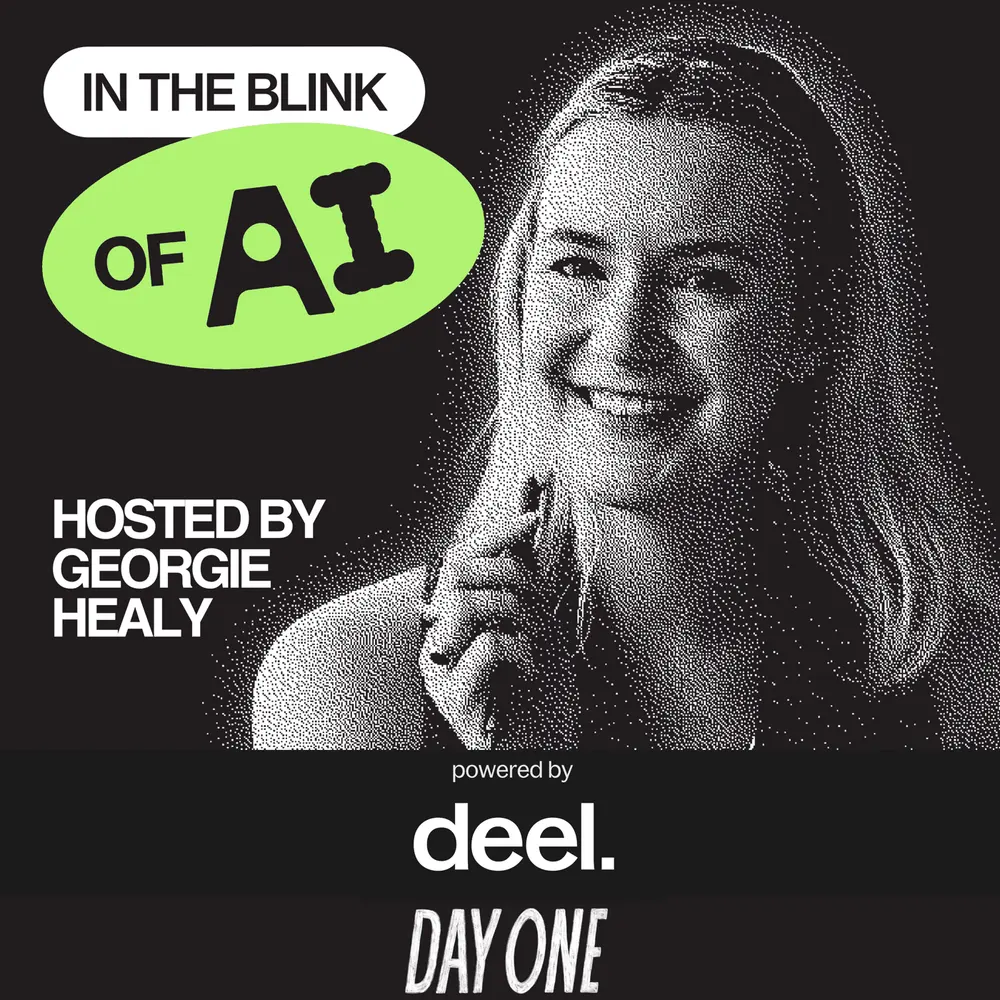 In The Blink Of AI with Georgie Healy
Presented by Deel & Stripe
In The Blink Of AI with Georgie Healy
Presented by Deel & Stripe 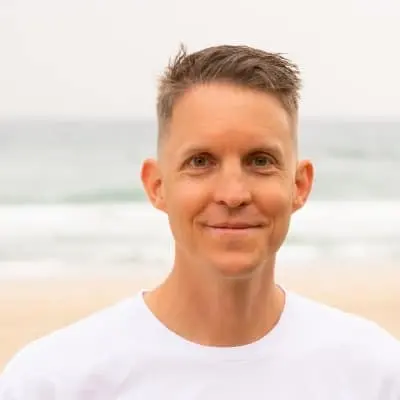
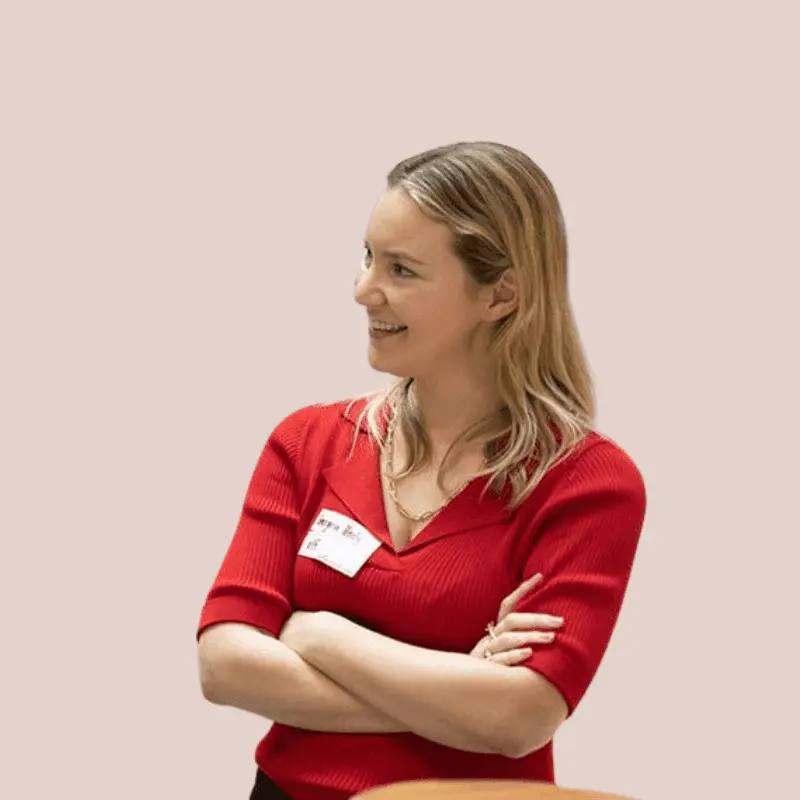
 ▶
▶  ▶
▶  ▶
▶  ▶
▶  ▶
▶ ▶
▶ ▶
▶